
In today's digital age, many of us use AI (Artificial Intelligence) to find information or review documents. While AI tools found online can be insecure, our new Office license provides a secure version of Copilot on Microsoft Edge. Below, you'll find instructions on how to access and use this feature securely.
Please note you will need to sign into your Microsoft work account using your MedWatch email to access this feature and use it securely !
Using Copilot Securely: With Copilot, you can securely scan medical records, convert documents, proof text, and more. Ensure the Green Shield is present and you're logged into your MedWatch account on Edge.
Location of Copilot (Copilot is located at the top right of the webpage)
Close up of the Icon
Using Copilot
Open Copilot to see a chat sidebar.
*It's very important to verify that the Green Shield as shown below is in the chat as this indicates its a safe and secure session ! *
Features of Copilot
New Tab: Expand the chat window to a full tab by clicking the button shown below.
Full Screen View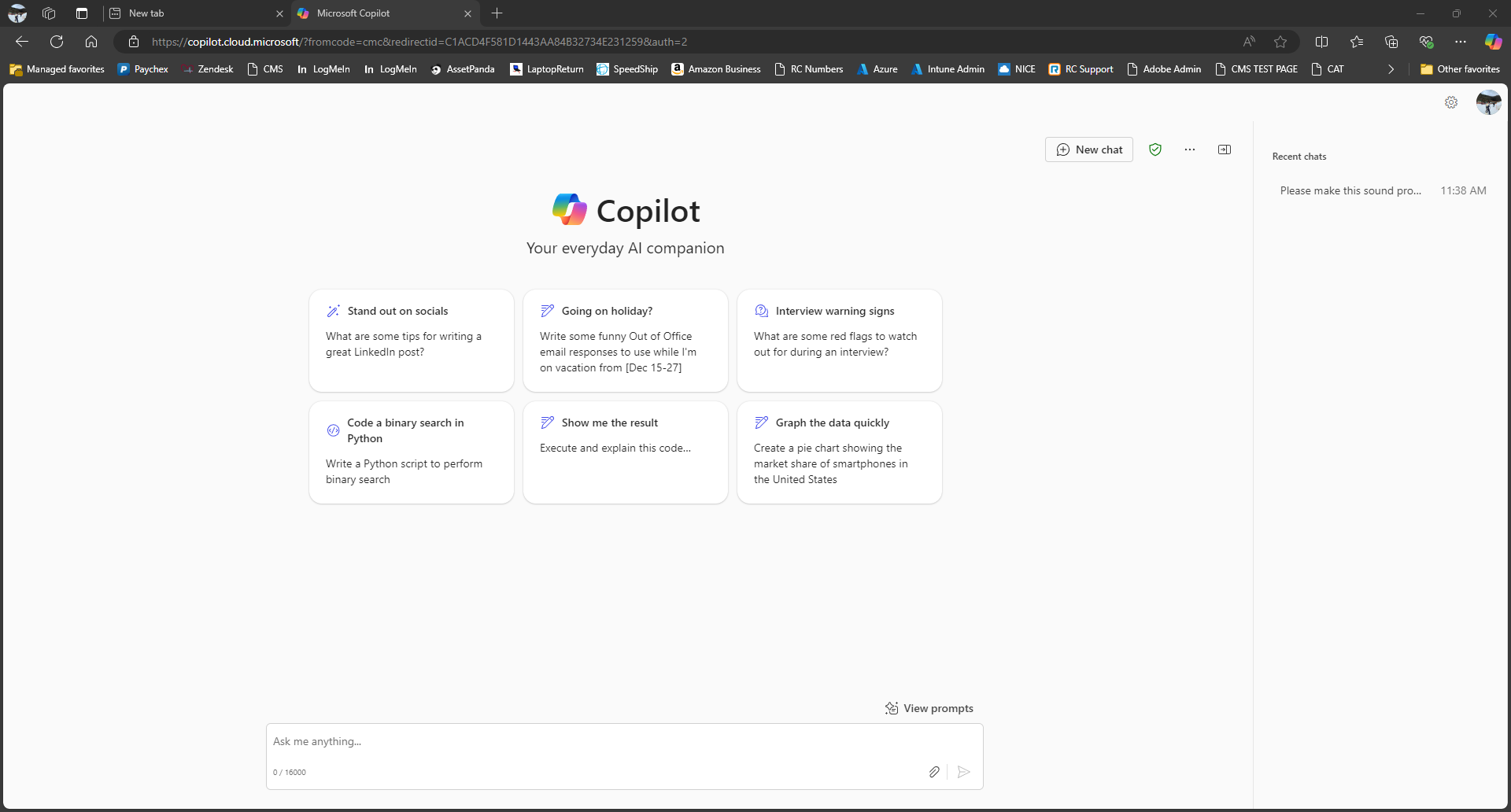
NEW ! Copilot on Teams
With our new Office license, Copilot is also available on Teams. Follow these steps to add it:
To easily access Copilot, search for 'Copilot' and it will appear as shown below. Right-click on it and select 'Pin' to keep it readily available
With Copilot being secure your able use this tool for many things like scanning medical records, converting documents, proofing text, and much more! As long as the green shield is present and you're logged into your MedWatch account on Edge your all set !
If you have any questions, please reach out to the help desk via a ticket or chat (bottom right corner of the website).
Have a great day!
Comments
0 comments
Please sign in to leave a comment.