
This guide is specifically for DelMar on how to change your password. Please make sure to change your password BEFORE it expires, or you won’t be able to change your password.
Please Note: This password change will ONLY be for AVD, Teams and Outlook (Your physical laptop password will never change anymore)
1. Open and login to your AVD.
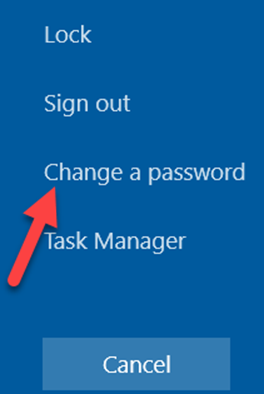
2. Once logged into the AVD, press ctrl + alt + end (you should see the picture below)

3. Select “Change a password”
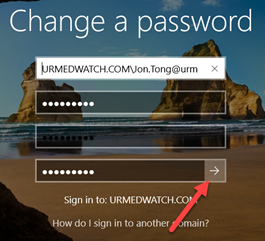
4. Type your old password and your new password where it asks you to then press the arrow pointing to the right.
5. Afterwards you should see a “Your password has been changed.” message. Press “OK”
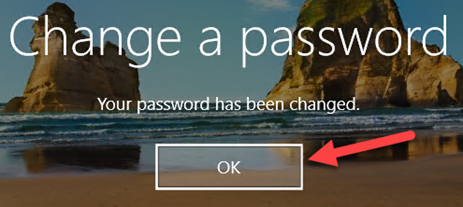
You have successfully changed your password!
Comments
0 comments
Article is closed for comments.