Skip to main content
RingCentral: Record a Voicemail Greeting
- Open the RingCentral App
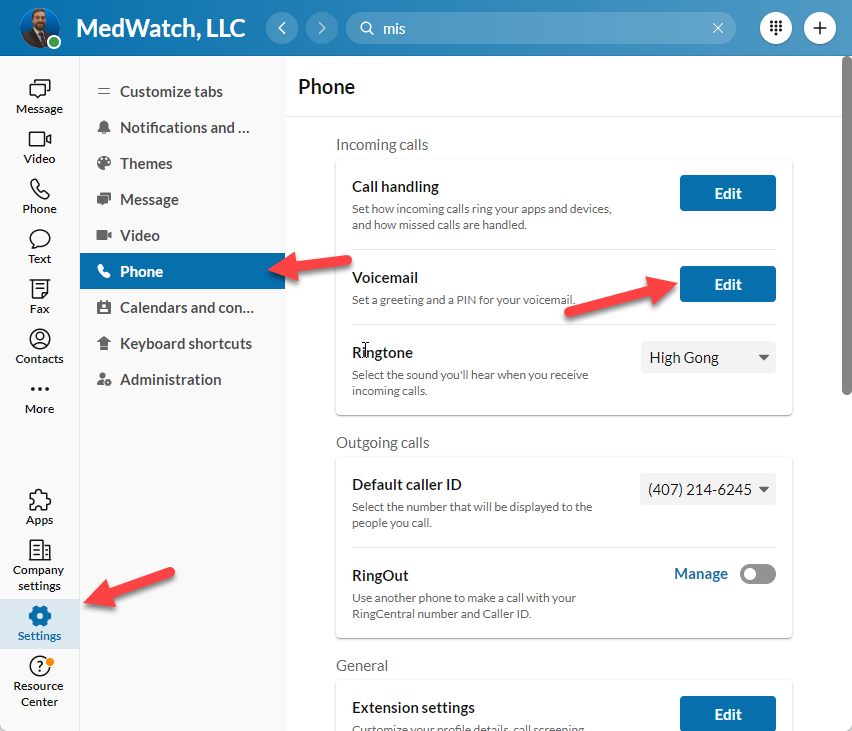
- Click on “Settings”
- Click on “Phone”
- Click on “Edit” in the Voicemail section
- Click on “Record”
- Click on “Microphone”
- Click on the red dot to start recording
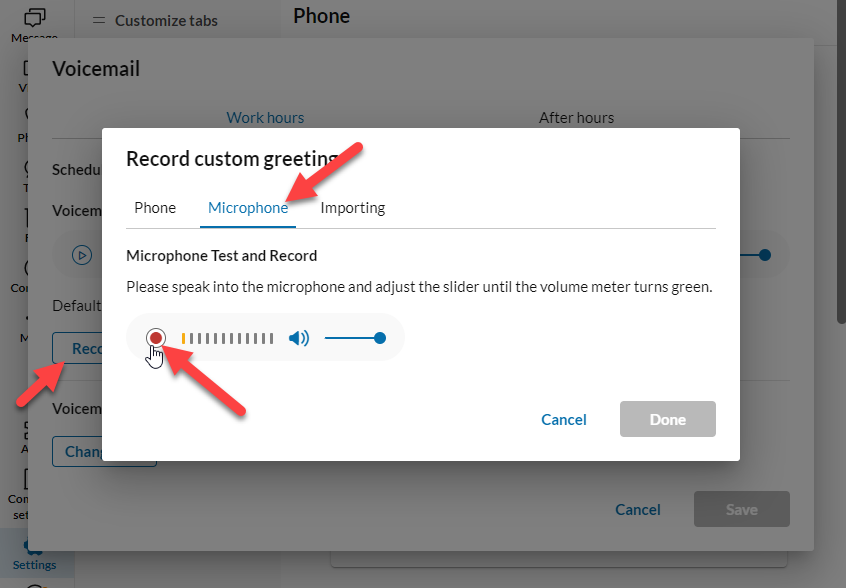
- Click on the stop icon when you are done recording
- If you don’t like your recording, click the red dot to start a new recording
- Click Done
- Click Save

Comments
0 comments
Please sign in to leave a comment.