
It is important to make sure your laptop is up to date. Leaving your laptop outdated can lead to possible security vulnerabilities. Normally updates are done automatically but occasionally you will have to manually update it yourself. It is good practice to periodically check the updates, follow the steps below to manually update your laptop.
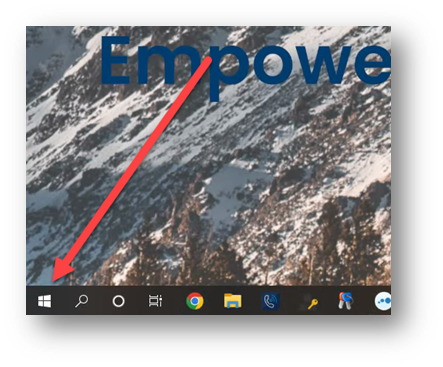
1) Click the Microsoft Windows button on the bottom left of screen
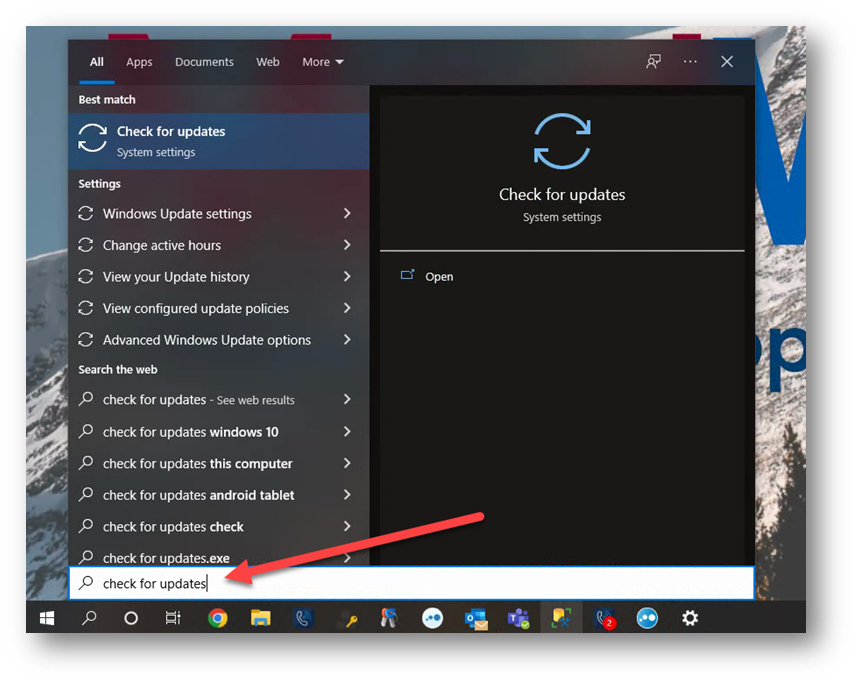
2) Type in the search bar: Check for updates
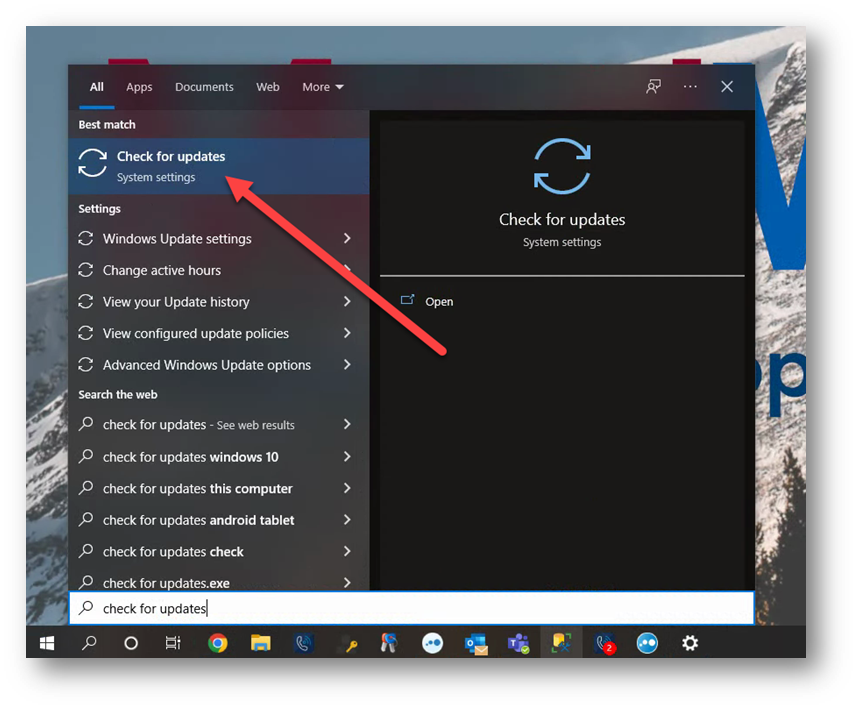
3) Click the first option: Check for updates
4) Here you will either have the option “Install now” or “Check for updates”. Which ever option shows up, press it.
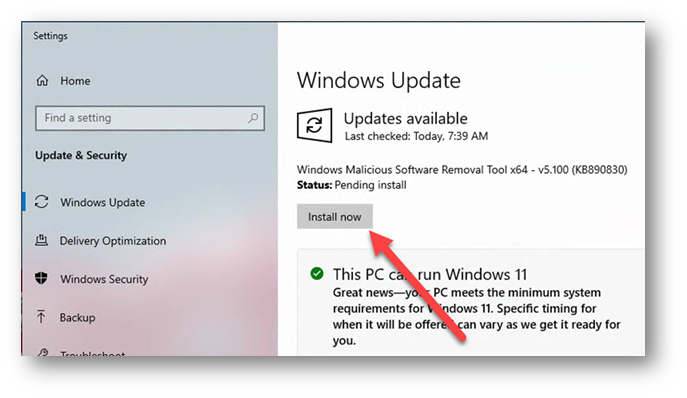
or
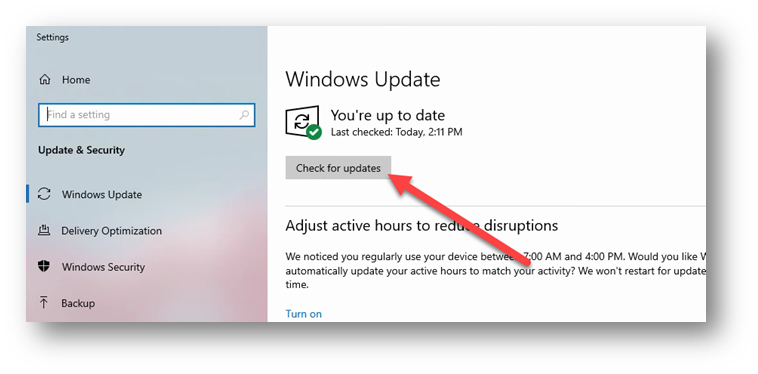
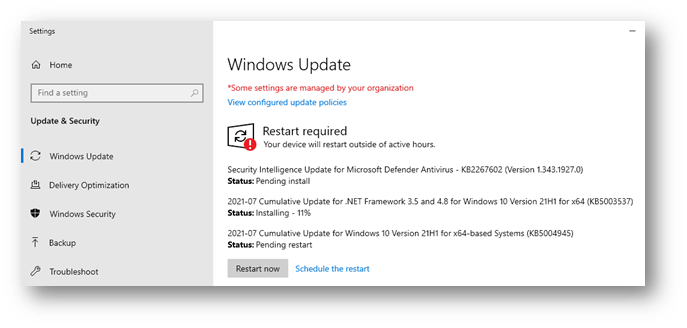
5) If there are any updates, it will start downloading them, if in the event it tells you to restart, wait until all the downloads are 100% and says, “Pending restart”.
Comments
0 comments
Please sign in to leave a comment.